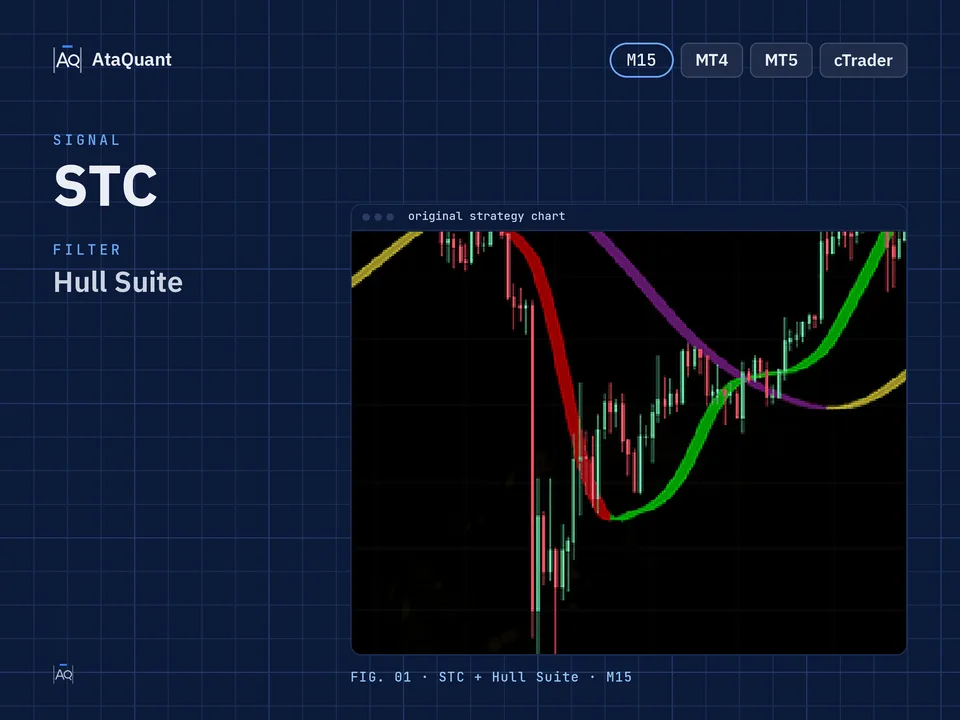
STC and Hull Suite trading strategy
Boost your trading results with the STC and Hull Suite Trading Strategy — a powerful setup combining STC, Hull Suite, and MA 10. Optimized for 15-minute trading, it helps traders achieve accurate entries and consistent profits.

Ready-made EA for this strategy is provided below — scroll to purchase

◊ Introduction to the STC and Hull Suite Trading Strategy
A popular technical analysis indicator in the Trading View environment is "the STC Indicator - A Better MACD." This indicator is designed based on two areas of 20 and 80, known as support and resistance points in the market.
By using this indicator, significant trends in the market are identified and improved. In such a way that whenever the indicator changes color from red to green in the range of less than 20, it is a sign of the beginning of an upward trend, and when it changes from green to red in the range of more than 80, it is a sign of the beginning of a downward trend.

In this tutorial, we will explore how to construct a robust trading strategy by harnessing the capabilities of the STC indicator and integrating it with other essential trading tools.
◊ Indicators Used
To launch this strategy, we need the following indicators:
Apply the STC Indicator
The basis for entering the trade is the signals of this indicator.
Use the Hull Suite Indicator
To confirm the entry and also trade in the direction of the trend
Use the MA10 Indicator
To detect the current trend

Learn more:
2- Hull Suite and CCI Trading Strategy
◊ The trading time frame of this strategy
The recommended time frame for using this strategy is 15 minutes.
◊ Inserting indicators in TradingView
Inserting the Hull Suite Indicator in TradingView
In the TradingView environment, in the indicators section, search for Hull Suite, which is made by InSilico, as shown in the image below, and activate it on the chart.

Inserting the STC Indicator - A Better MACD in TradingView
To insert this indicator in the trading view environment, search for the STC Indicator from the indicators section and activate it on your chart, as shown in the image below.

◊ Settings of indicators
Hull Suite Indicator settings
The Hull Suite indicator settings are the same as the default settings.
STC Indicator - A Better MACD Indicator Settings
Navigate to the STYLE section, as depicted in the image below. Here, we enhance the visibility of the 20 and 80 lines by applying vibrant colors for better clarity.

Learn more:
1- STC and EMA trading strategy
2- Trading strategy with Hull Suite indicator
MA Indicator settings
In the INPUTS section, set the period to 10.

Learn more:
1- Simple and Exponential Moving Average Trading Strategy
Want to Automate this Strategy? Check out Ready-Made Expert Advisorhere
◊ How to open a long position for using the STC and Hull Suite Strategy
● Entry Rules
To make a long trade, the following conditions must be met:
The First condition- The STC indicator must change from red to green while below the level 20.
The second condition- The Hull Suite indicator changes from red to green.
The third condition is that the price must close above the MA 10.
By establishing these three conditions, we open a long position.
●Exit Rules
Stop Loss: Consider the Hull Suite indicator as a stop loss.
Target or take profit: The profit of this trade is based on risk-to-reward, and the ratio of risk to reward can include one of the following, according to the riskiness of the trader:
1- One-to-one risk-to-reward (low-risk)
2- Risk to reward is one to one and a half (moderate risk)
3- Risk to reward one to two (high-risk)

◊ How to open a short position for using the STC and Hull Suite Strategy
● Entry Rules
The following conditions must be met to complete the short trade:
The first condition- The STC indicator should change from green to red when above the level 80.
The second condition- The Hull Suite indicator changes from green to red.
The third condition is that the price must close below the MA 10.
By establishing these three conditions, we open a short position.
●Exit Rules
Stop Loss: Consider the Hull Suite indicator as a stop loss.
Target or take profit: The profit of this trade is based on risk-to-reward, and the ratio of risk to reward can include one of the following, according to the riskiness of the trader:
1- One-to-one risk-to-reward (low-risk)
2- Risk to reward is one to one and a half (moderate risk)
3- Risk to reward one to two (high-risk)

Note: The recommended timeframe to use this strategy is 15 minutes.
Conclusion
The combination of the STC Indicator and Hull Suite in this trading strategy creates a balanced and highly responsive system for identifying market trends and entry signals. The STC indicator provides early alerts for potential reversals, while the Hull Suite and MA 10 confirm the strength and direction of the trend, reducing false entries. By following the outlined conditions for long and short trades, traders can make more confident and data-driven decisions.
This strategy is especially effective on the 15-minute timeframe, offering frequent yet reliable trade opportunities. However, as with all trading systems, it is recommended to practice proper risk management and backtest the setup on different market conditions before applying it to live trading.
Looking for more? Discover our other forex trading strategies and see how they can fit your trading style.
Your strategy, your Expert Advisor
We can turn any trading strategy into a custom EA designed for your needs. Looking for tools to analyze the market first? Don’t miss our collection of free trading indicators – and when you’re ready, explore our EA Shop for ready-made solutions.
Visit our Expert Advisor Shop
Check out our Free Indicators here
The EA for this strategy
The rules above, coded as a ready-made Expert Advisor. See its inputs and platforms, or ask for a modification.