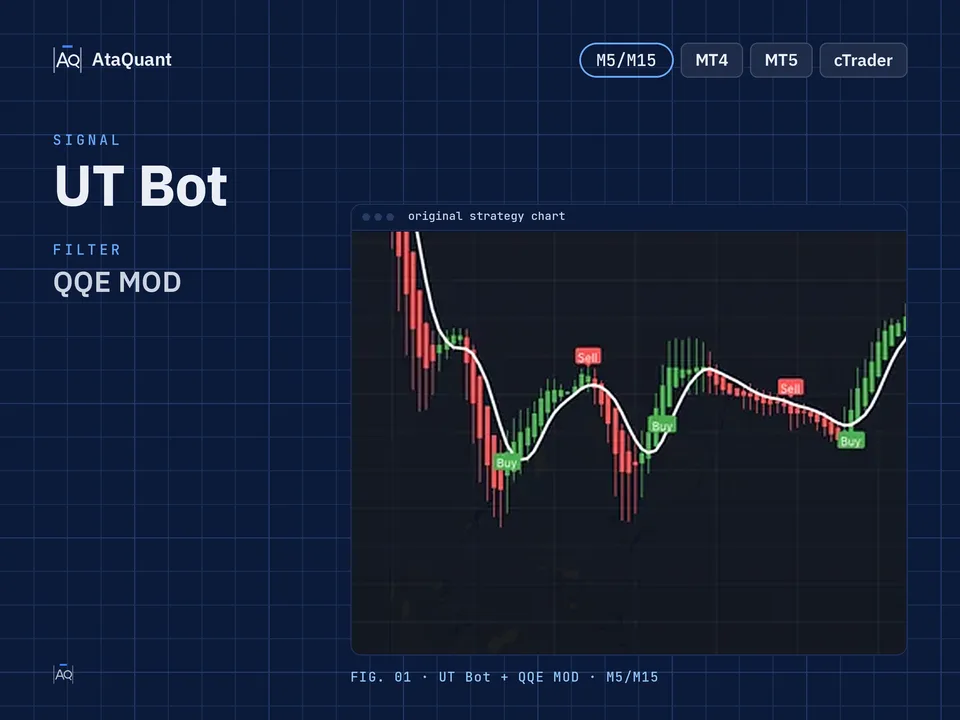
A Simple Trading Strategy Using the UT Bot Indicator
Boost your trading performance with the UT Bot Strategy — a highly effective setup combining UT Bot signals, Trend Indicator A-V2 trend filtering, and QQE MOD confirmation to optimize 5–15 minute entries and enhance consistent, accurate trades.

Ready-made EA for this strategy is provided below — scroll to purchase
◊ Introduction to the UT Bot Scalping Strategy
One of the most popular indicators among traders is the UT Bot indicator. This indicator issues trading signals using advanced algorithms, technical analysis, and price charts.
In addition to displaying buy and sell signals, UT Bot also displays the Trailing Stop line to select and determine the loss limit.

◊ Indicators Used
Apply the UT Bot Indicator for buy and sell signals
In this article, we teach you a trading strategy based on the UT Bot buy and sell signal, and we use the following tools to reduce its wrong signals. These indicators are:
Use the Trend Indicator A-V2
To identify the trend and trade in the direction of the trend
Use the QQE MOD Indicator
To confirm entry into the trade

Learn more:
2- QQE signals trading strategy
◊ The trading time frame of this strategy
This strategy can be used in a time frame of 5 and 15 minutes.
◊ Insert Indicators in TradingView
Inserting the UT Bot Indicator in TradingView
To insert this indicator in the trading view environment, search for the term UT Bot from the indicators section and activate it on your chart, as shown in the image below. Please note that the author is Yo_adriiiiaan.

Inserting the Trend Indicator A-V2 in TradingView
Search for its name in the Trading View Indicators section and activate it on your chart, as shown below.

Inserting the QQE MOD Indicator in TradingView
Search for QQE MOD and activate it as shown on the chart. The author of this indicator is Mihkel00.

◊ Settings of indicators
Trend Indicator A-V2 indicator settings
In the INPUTS section, change the following two entries:
MA Type = EMA
MA Period (Length) = 52
MA Period smoothing (Length) = 10

The settings of other indicators should be the same as the default settings.
Learn more:
1- UT Bot Alerts Trading Signals and Strategies
2- Enhanced Trading Strategy Using Supertrend, SSL, and QQE MOD Indicators
Want to Automate this Strategy? Check out Ready-Made Expert Advisor here
◊ How to open a long position using the UT Bot Indicator
● Entry Rules
To make a long trade, the following conditions must be met:
The first condition- The UT Bot indicator issues a buy signal.
The second condition- Trend Indicator A-V2 should be green.
The third condition- The histogram must be blue in the QQE MOD indicator.
We will open a long position by fulfilling all the above conditions.
●Exit Rules
Stop Loss: We consider the Trailing Stop line of the UT Bot indicator as a stop loss.
Target or take profit: The profit of this trade is based on risk-to-reward, and the ratio of risk to reward can include one of the following, according to the riskiness of the trader:
1- One-to-one risk-to-reward (low-risk)
2- Risk to reward is one to one and a half (moderate risk)
3- Risk to reward one to two (high-risk)

◊ How to open a short position using the UT Bot Indicator
● Entry Rules
The following conditions must be met to complete a short trade:
The first condition- The UT Bot indicator issues a sell signal.
The second condition- The Trend Indicator A-V2 should be red.
The third condition: The histogram must be red in the QQE MOD indicator.
We open a short position by fulfilling all the above conditions.
●Exit Rules
Stop Loss: We consider the Trailing Stop line of the UT Bot indicator as a stop loss.
Target or take profit: The profit of this trade is based on risk-to-reward, and the ratio of risk to reward can include one of the following, according to the riskiness of the trader:
1- One-to-one risk-to-reward (low-risk)
2- Risk to reward is one to one and a half (moderate risk)
3- Risk to reward one to two (high-risk)

Note: The recommended time frame for this strategy is 5 and 15 minutes.
Conclusion
By using the UT Bot indicator strategy combined with the Trend Indicator A-V2 and QQE MOD, traders can obtain more accurate buy and sell signals while effectively managing trade risk. This strategy works best on 5- and 15-minute time frames, and by adjusting the risk-to-reward ratio according to their risk tolerance, traders can make more informed decisions and improve their chances of success in the market.
Looking for more? Discover our other forex trading strategies and see how they can fit your trading style.
Turn your trading idea into reality!
No matter what strategy you have in mind, we can develop a custom Expert Advisor tailored to your needs. Prefer ready-made solutions? Explore our EA Shop and start trading instantly.
Visit our Expert Advisor Shop
Check out our Free Indicators here
The EA for this strategy
The rules above, coded as a ready-made Expert Advisor. See its inputs and platforms, or ask for a modification.