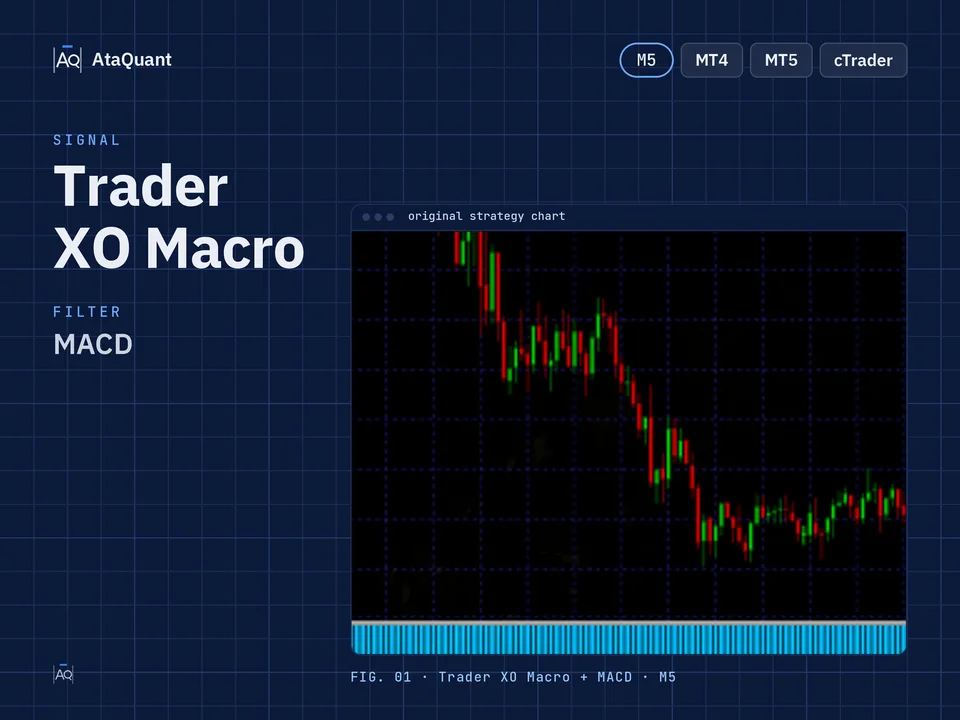
Trader XO Macro trading strategy
Boost your trading performance with the Trader XO Macro Strategy — a powerful setup combining the Trader XO Scanner, MACD, and EMA 200. Optimized for 5M+ charts to enhance accuracy and achieve consistent profits.

Ready-made EA for this strategy is provided below — scroll to purchase
◊ Introduction to the Trader XO Macro Trading Strategy
The Trader XO Macro Trend Scanner indicator is among the most popular indicators in the TradingView environment that issues buy and sell signals. This indicator consists of two fast and slow-moving averages that issue a buy or sell signal whenever a cross occurs.
This way, whenever the cross is downward, it issues a sell signal; whenever the intersection is upward, it issues a buy signal.

This indicator should not be relied upon in isolation as a standalone trading setup. It often generates false signals when a market is in a range or sideways. To mitigate the impact of these incorrect signals, it is advisable to complement them with other trading tools that can help identify the prevailing market trend. This approach enables you to trade in the direction of the current trend.
Learn more:
1- STC and EMA trading strategy
2- SSL, WAE, and EMA Trading Strategy
◊ Indicators Used
Apply the Trader XO Macro Trend Scanner Indicator
The basis of entering into a trade in this strategy is the signals of this indicator.
Use the MACD Indicator
To confirm the entry and also trade in the direction of the trend.
Use the EMA200 Indicator
To detect the current trend.

Learn more:
The Cross EMA Trading Strategy
◊ The trading time frame of this strategy
This strategy is applicable across all timeframes, although it is more effective when utilized in timeframes exceeding 5 minutes.
◊ Inserting indicators in TradingView
Inserting the Trader XO Macro Trend Scanner Indicator in TradingView
To insert this indicator in the trading view environment, search for Trader XO Macro Trend Scanner from the indicators section, whose developer name is btc_charlie, and activate it on your chart, as shown in the image below.

◊ Settings of indicators
Trader XO Macro Trend Scanner Indicator settings
Inactivate the Bar Color options in the STYLE section.
MACD Indicator settings
In the INPUTS section, we apply the following changes, as shown in the image.
Fast Length = 26
Slow Length = 100

In the STYLE section, we inactive the MACD and Signal options, as shown in the image below.

EMA Indicator settings
In the INPUTS section, set the period to 200.

Learn more:
1- VuManChu Swing and EMA trading strategy
2- Enhancing Trading Success with the Stochastic and EMA Strategy
Want to Automate this Strategy? Check out Ready-Made Expert Advisor here
◊ How to open a long position for using the Trader Xo Macro Strategy
● Entry Rules
To make a long trade, the following conditions must be met:
The first condition- The Trader XO indicator issues a buy signal.
The second condition- The MACD histogram is green and above zero.
The third condition is that the price should be above the EMA 200.
By establishing these three conditions, we open a long position.
●Exit Rules
Stop Loss: Consider the closest support before establishing the conditions as a stop loss.
Target or take profit: The profit of this trade is based on risk-to-reward, and the ratio of risk to reward can include one of the following, according to the riskiness of the trader:
1- One-to-one risk-to-reward (low-risk)
2- Risk to reward is one to one and a half (moderate risk)
3- Risk to reward one to two (high-risk)

◊ How to open a short position for using the Trader Xo Macro Strategy
● Entry Rules
The following conditions must be met to complete the short trade:
The first condition- The Trader XO indicator issues a sell signal.
The second condition- The MACD histogram is red and below zero.
The third condition is that the price should be lower than the EMA 200.
By establishing these three conditions, we open a short position.
●Exit Rules
Stop Loss: Consider the closest resistance before establishing the conditions as a stop loss.
Target or take profit: The profit of this trade is based on risk-to-reward, and the ratio of risk to reward can include one of the following, according to the riskiness of the trader:
1- One-to-one risk-to-reward (low-risk)
2- Risk to reward is one to one and a half (moderate risk)
3- Risk to reward one to two (high-risk)

Conclusion
The Trader XO Macro Trading Strategy provides traders with a structured and logical approach to entering the market by combining three powerful tools: the Trader XO Macro Trend Scanner, MACD, and the 200 EMA. While the Trader XO indicator alone may generate false signals—especially in ranging markets—its effectiveness significantly increases when aligned with trend confirmation from the EMA 200 and momentum validation from the customized MACD histogram.
By requiring all three conditions to align before entering a position, traders can filter out many low-quality setups and focus on higher-probability opportunities in the direction of the prevailing trend. Additionally, using a clear risk-to-reward framework (1:1, 1:1.5, or 1:2) ensures disciplined trade management and helps protect capital over the long term.
Overall, this strategy offers a simple yet reliable method suitable for traders across various timeframes—especially those above 5 minutes—allowing them to enter trades with more confidence and precision. To continue enhancing your trading knowledge, make sure to explore our other strategy tutorials.
Looking for more? Discover our other forex trading strategies and see how they can fit your trading style.
Your strategy, your Expert Advisor
We can turn any trading strategy into a custom EA designed for your needs. Looking for tools to analyze the market first? Don’t miss our collection of free trading indicators – and when you’re ready, explore our EA Shop for ready-made solutions.
Visit our Expert Advisor Shop
Check out our Free Indicators here
The EA for this strategy
The rules above, coded as a ready-made Expert Advisor. See its inputs and platforms, or ask for a modification.