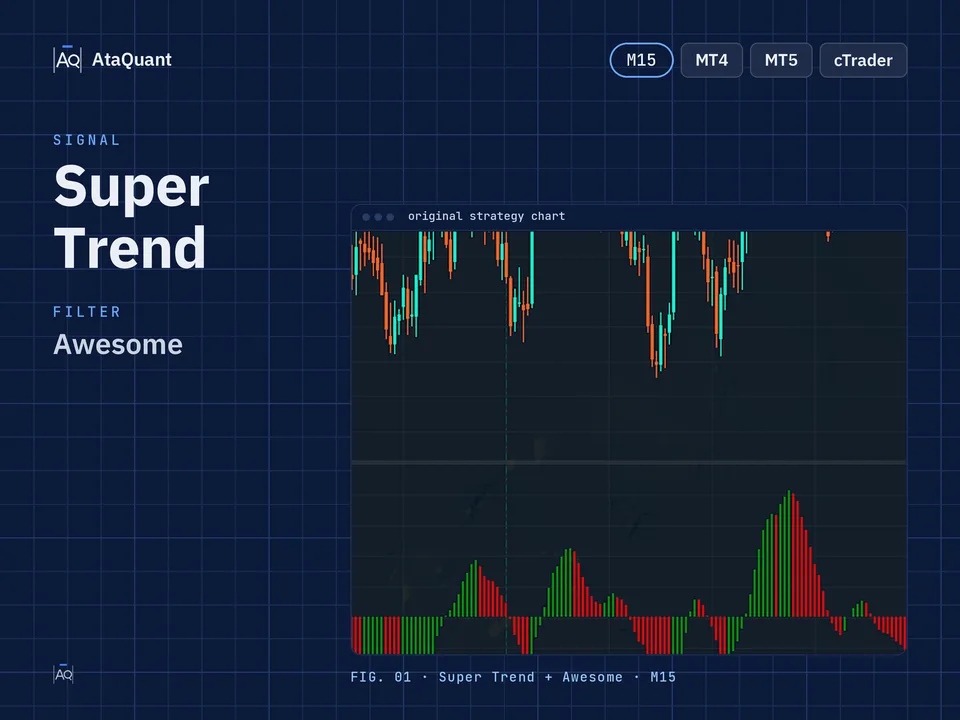
Super Trend and Awesome Trading Strategy
Boost your trading results with the Super Trend and Awesome Trading Strategy — a powerful setup combining Supertrend and Awesome Oscillator indicators. Optimized for 15-minute trading, it helps traders achieve accurate entries and consistent profits.

Ready-made EA for this strategy is provided below — scroll to purchase
◊ Introduction to the SuperTrend and Awesome Trading Strategy
The combination of the Supertrend and Awesome Oscillator creates a powerful and reliable trading approach designed to capture market trends with higher accuracy. While the Supertrend indicator effectively identifies the current trend direction and generates potential entry points, it can sometimes produce false signals in volatile market conditions. To overcome this limitation, the Awesome Oscillator is added as a confirmation tool that filters out weak or misleading signals. Together, these two indicators help traders make more informed buy and sell decisions by confirming momentum and reducing the risk of premature entries.
◊ Indicators Used
Apply the SuperTrend Indicator
The Supertrend indicator serves as a valuable analytical tool for guiding buying and selling decisions. It visually represents the prevailing market trend through green and red lines on the chart.
The green line signifies an upward trend in the market, while the red line signals a downward trend. A transition from red to green denotes a change in trend and issuing a buy signal. Conversely, a shift from green to red triggers a sell signal.

Use the Awesome Indicator
Because no indicator is 100% accurate and you cannot enter into a trade with every buy or sell signal, the SuperTrend indicator is not exempt from this issue and sometimes issues wrong signals.
In this strategy, we employ the Awesome indicator after the Supertrend issues a signal to validate trade entries and mitigate potential false signals.
This indicator, used to detect price trends in financial markets, is based on the moving average (SMA) and average true range (ATR) and is displayed as a histogram above and below the zero line. When the histogram registers above the zero line, it signifies an upward trend, whereas a position below the zero line indicates a bearish market.

Learn more:
1- Awesome oscillator trading strategy
2- The SuperTrend, SMA 200, and the Coppock Curve
◊ The trading time frame of this strategy
The recommended time frame for using this strategy is 15 minutes.
◊ Inserting indicators in TradingView
Inserting the SuperTrend Indicator in TradingView
To insert the SuperTrend indicator on the chart in the Trading View environment, search for it in the indicators section and activate it. Make sure the author of this indicator is KivancOzbilgic, as shown below.

◊ Settings of indicators
In this strategy, all indicator settings should be set to their default values.
Learn more:
1- Enhanced Trading Strategy Using Supertrend, SSL, and QQE MOD Indicators
2- One-Hour Supertrend Trading Strategy
Want to Automate this Strategy? Check out Ready-Made Expert Advisorhere
◊ How to open a long position for using the SuperTrend & Awesome Strategy
● Entry Rules
To make a long trade, the following conditions must be met:
The first condition is that the super trend indicator issues a buy signal.
The second condition – the histogram of the Awesome oscillator is above the zero (positive) line.
The third condition is that the color of the Awesome bars should be green.
By establishing all three conditions, we open a long position.
●Exit Rules
Stop Loss: We consider the super trend line as a stop loss.
Target or take profit: The profit of this trade is based on risk-to-reward, and the ratio of risk to reward can include one of the following, according to the riskiness of the trader:
1- One-to-one risk-to-reward (low-risk)
2- Risk to reward is one to one and a half (moderate risk)
3- Risk to reward one to two (high-risk)

◊ How to open a short position for using the SuperTrend & Awesome Strategy
● Entry Rules
The following conditions must be met to complete the short trade:
The first condition is that the super trend indicator issues a sell signal.
The second condition – the histogram of the Awesome Oscillator should be below the zero (negative) line.
The third condition is that the color of Awesome bars should be red.
By fulfilling all three conditions, we open a short position.
●Exit Rules
Stop Loss: We consider the super trend line as a stop loss.
Target or take profit: The profit of this transaction is based on risk-to-reward, and the ratio of risk to reward can include one of the following, according to the riskiness of the trader:
1- One-to-one risk-to-reward (low-risk)
2- Risk to reward is one to one and a half (moderate risk)
3- Risk to reward one to two (high-risk)

Learn more:
1- Supertrend and Base Line Ichimoku trading strategies
2- SuperTrend and SuperScript: Exploring a Powerful Trading Strategy
Note: The recommended time frame to use this strategy is 15 minutes.
Conclusion
The Supertrend and Awesome trading strategy offers a balanced and systematic method for identifying trend-based opportunities in the market. By combining trend detection with momentum confirmation, traders can improve the precision of their entries and exits while maintaining effective risk management through the Supertrend-based stop loss. Although no strategy guarantees perfect results, this method provides a clear framework for disciplined trading on the 15-minute timeframe and can be further optimized according to individual risk tolerance and trading style.
Looking for more? Discover our other forex trading strategies and see how they can fit your trading style.
Your strategy, your Expert Advisor
We can turn any trading strategy into a custom EA designed for your needs. Looking for tools to analyze the market first? Don’t miss our collection of free trading indicators – and when you’re ready, explore our EA Shop for ready-made solutions.
Visit our Expert Advisor Shop
Check out our Free Indicators here
The EA for this strategy
The rules above, coded as a ready-made Expert Advisor. See its inputs and platforms, or ask for a modification.